
Webhook
You can enable the webhook to trigger events whenever the order status changes in Amwal.
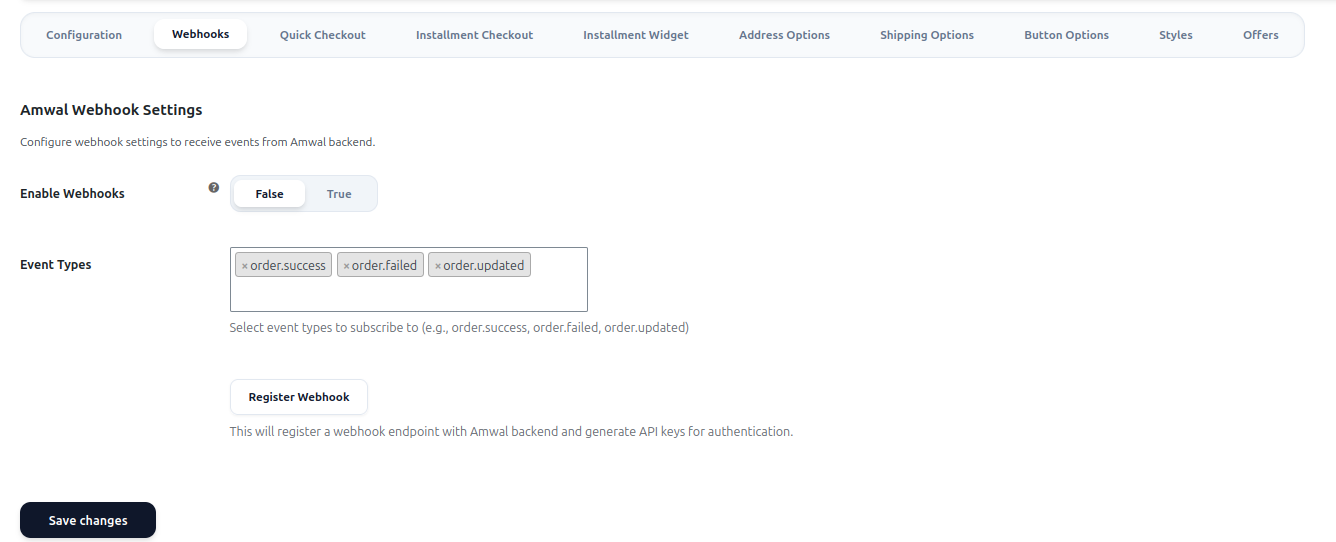
Setup Guide
Check the Enable Webhooks checkbox to activate webhook notifications for your store
Select which order events you want to receive notifications for
Create your webhook API key and establish the connection with Amwal
Registration Process
Check the "Enable Webhooks" checkbox to activate webhook notifications for your store.
Click the Register Webhook button to create a new Webhook API key from Amwal and configure the webhook integration.
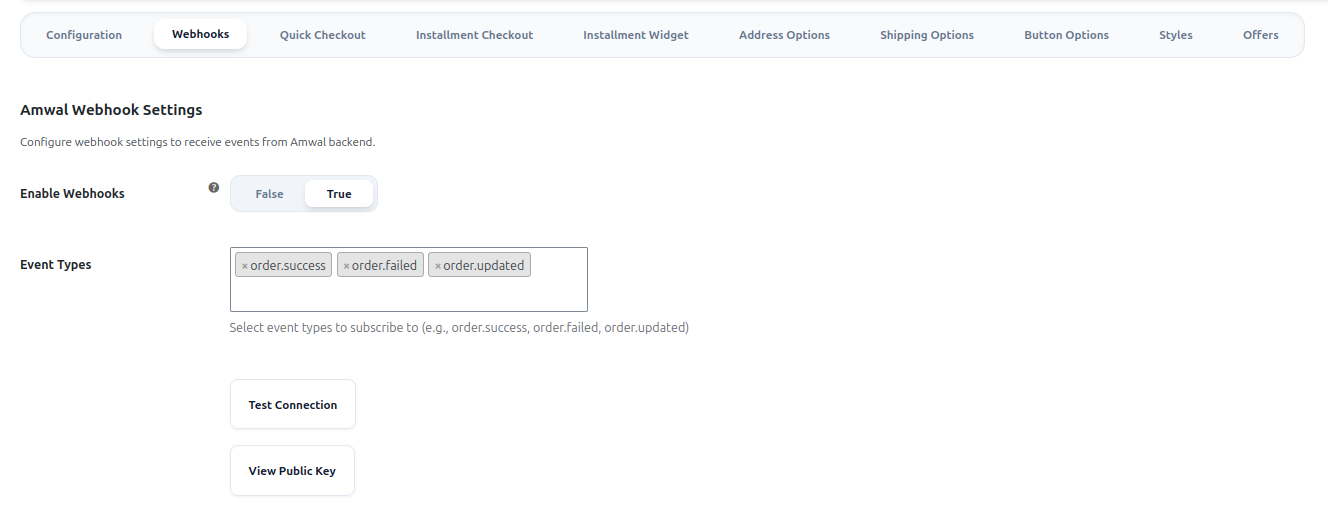
Webhook Events
Supported Event Types
- Order Success Event (
order.success) - Triggered when an order is completed successfully - Order Failed Event (
order.failed) - Triggered when an order fails to process - Order Updated Event (
order.updated) - Triggered when an a refund request is approved from the gateway to process the order refund.
Webhook Management
After successful webhook registration, you can:
Access your webhook private key for secure authentication
Verify that your webhook integration is working properly
Next Steps
Once your webhook is configured and registered, you'll start receiving real-time notifications about order status changes, allowing you to keep your systems synchronized with Amwal's payment processing.
Updated 22 days ago