
Online Checkout
Create an Amwal installment link/sessions, redirect shoppers to payment, and confirm online checkout results with callbacks and webhooks.
Custom Integration
Integrate Amwal's installment system into your online checkout using the Installment Links API. This flow covers generating a payment link, redirecting the shopper, and reconciling the result through both a callback and a webhook.
Online Flow Practice
- Add Amwal as a payment method:
Add Amwal to your checkout's list of available payment methods. - Generate an installment link via API: Include the following details:
Order amount
Order details (items, currency, etc.)
Customer information
Callback URL - Redirect or Share: Direct the shopper to Amwal’s installment Payment link.
- Complete Payment: Customer completes payment online.
- Process Payment: Payment is processed, confirmations sent, and success callback received.
- Callback URL: Amwal sends transaction ID in the Callback URL, by using this Transaction, you can retrieve the transaction details that contain order details and the transaction status.
- Webhook: Real-time notifications for payment events via HTTP POST requests with secure signature verification.
- Order confirmation: Automatically delivered from your e-commerce.
Order Status Flow
Integrate Amwal with your e-commerce platform by understanding and mapping Amwal's order status flow to your system.
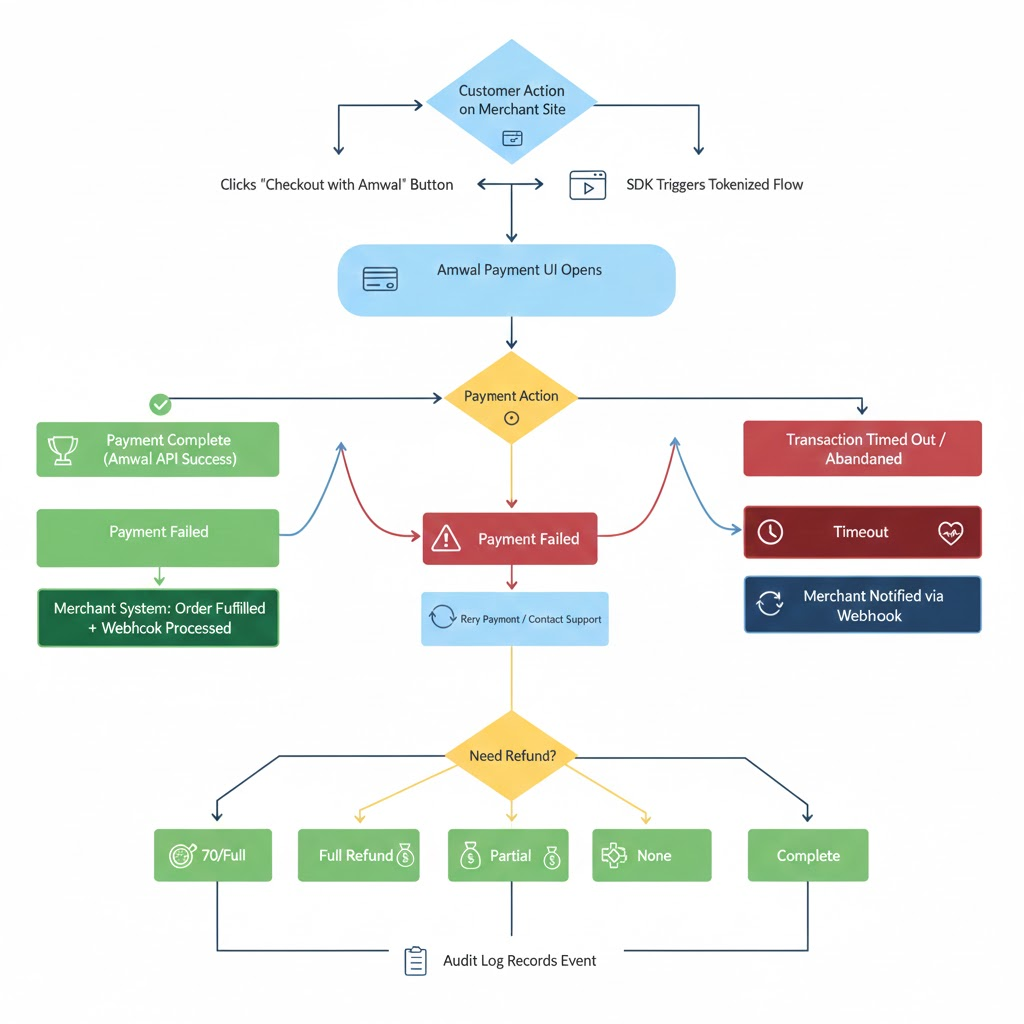
Endpoints
Generate installment links for online transactions.
Retrieve and analyze online installments with filtering and pagination.
Access detailed information about specific installment links.
Handle refunds for online transactions.
Receiving Webhook Events.
Process installment link resolution via email, SMS, or web.
Updated 22 days ago