
Create User
Learn how to create users in your Amwal merchant account, assign roles, and manage access permissions.
Create User
Create dashboard users for your Amwal merchant account and assign each user a role with specific permissions. Users can sign in independently and access only the actions available to their assigned role.
Prerequisite: Sign in with an admin or owner account to create and manage users.
Steps to Create a User
-
Log in to your Amwal merchant account.
-
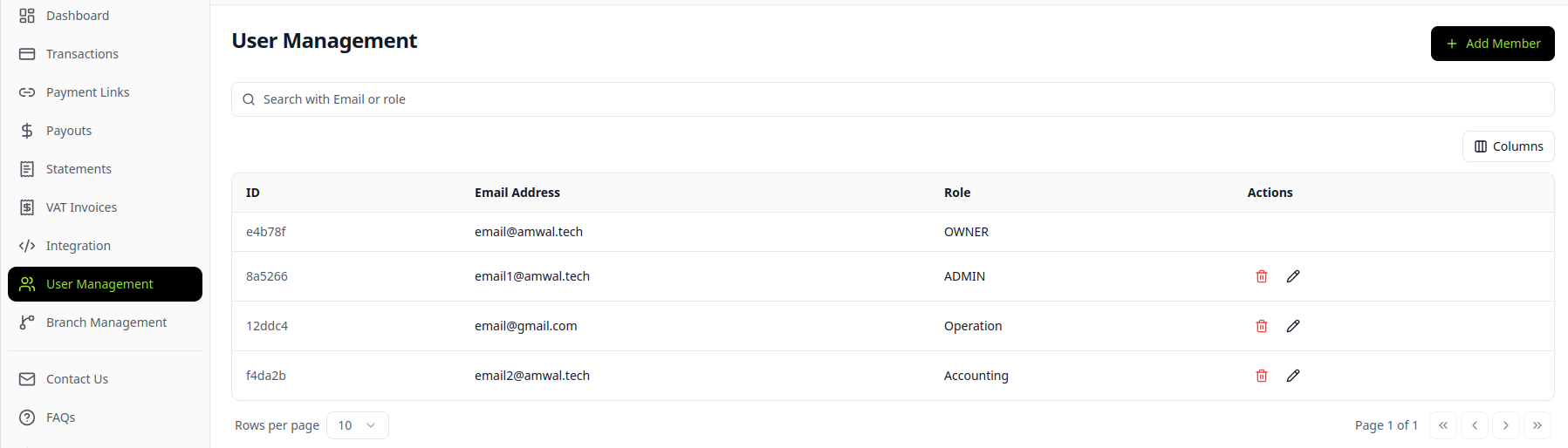
Open the side menu and click User Management.
-
Review the users linked to your merchant account, then choose the option to add a new member.
-
Click + Add Member to start creating the user.
-
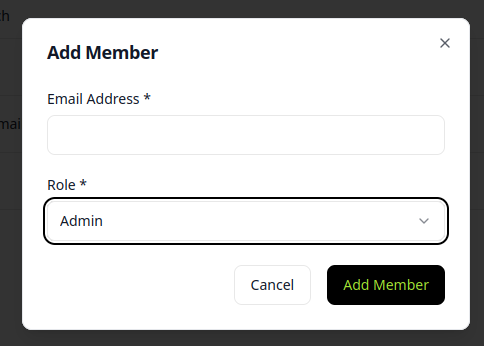
Enter the user's email address, select a role, and complete the branch data if the selected role requires it.
-
Click Add Member to save the user.
-
The user receives an email to create a password and can then log in to the Amwal merchant dashboard with their assigned role permissions.
Updated 3 months ago