
Branch Management
Amwal's Branch Management module connects your brick-and-mortar retail presence with your centralized digital payment gateway. Whether you manage a single boutique in Riyadh or a nationwide chain with hundreds of branches across Saudi Arabia, the branch hierarchy allows you to track revenue, assign staff, and partition POS payment links by physical store.
1. Navigating the Branch Directory
Open Branch Management from the left navigation menu to view your network of retail locations:
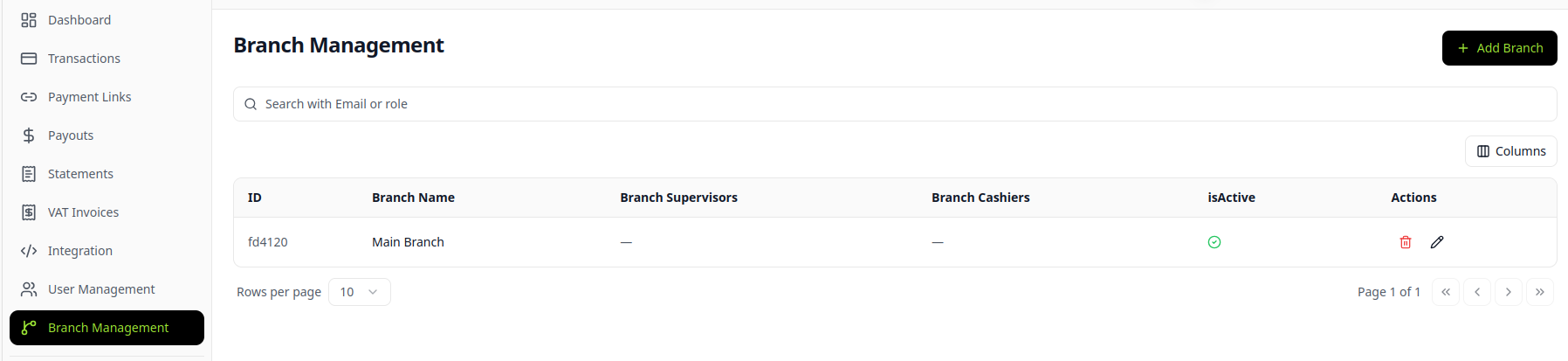
Directory Attributes
- Branch ID: Unique alphanumeric identifier used for localized reporting and POS API link generation.
- Branch Name: Public retail store designation (e.g., Riyadh Olaya Branch).
- Assigned Supervisors & Cashiers: Roster of frontline staff authorized to generate links under this branch.
- Status Indicator: Visual indicator showing whether the location is currently authorized to process transactions.
2. Adding a New Retail Branch
Step 1: Open Creation Modal
Click the + ADD BRANCH button in the top-right corner of the branch directory:
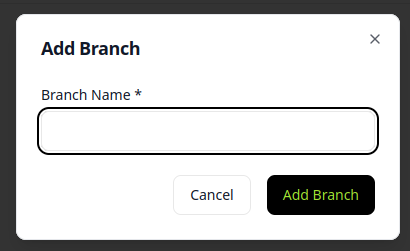
Step 2: Configure Branch Attributes
| Field | Required | Description |
|---|---|---|
| Branch Name | Yes | Descriptive name of the retail store location. |
| Supervisors | Optional | Select one or more existing team members with the Supervisor role. |
| Cashiers | Optional | Select one or more existing team members with the Cashier role. |
| Is Active? | Yes | Checkbox indicating whether the location is open for business. |
Click Save to provision the branch instantly.
3. Controlling Branch Activation Status
Manage store operational hours or temporary closures without deleting historical transaction data using the Is Active? checkbox:
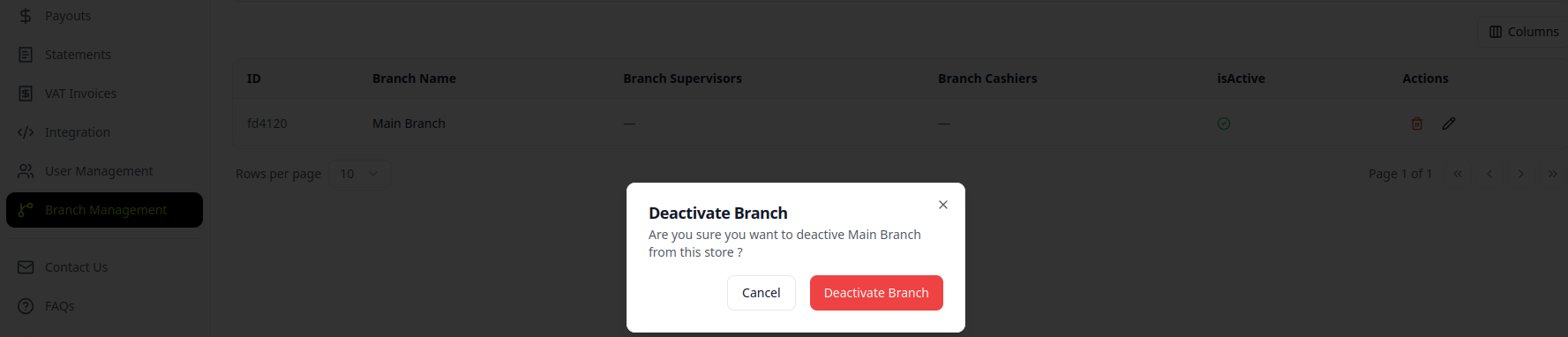
- Active State (Checked): Cashiers can generate in-store payment links and POS checkouts assigned to this branch.
- Inactive State (Unchecked): New link generation is disabled for this location. Past transactions, refunds, and settlement reports remain intact for accounting audits.
4. Searching & Filtering
- Instant Search: Locate branches by Branch Name or ID using the top search bar.
- Localized Reporting: Filter the Transactions and Statements views by branch to compare performance across your retail network.
User Roles and Permissions
In-depth reference for Amwal Merchant Dashboard role-based access controls (RBAC), permission tiers, operational boundaries, and security restrictions.
Branch Users
Guide to onboarding retail cashiers and supervisors, assigning them to physical branches, and managing staff rotation across store locations.