
Transactions
The Transactions console provides an immutable, real-time ledger of every payment authorization, installment plan, card capture, and refund processed across your Amwal integration. Built for operational oversight and customer support, merchants can verify payment completion, audit fee deductions, and retrieve banking authorization codes.
1. Transaction Feed Overview
Navigate to Transactions in the left sidebar to view the live payment stream:
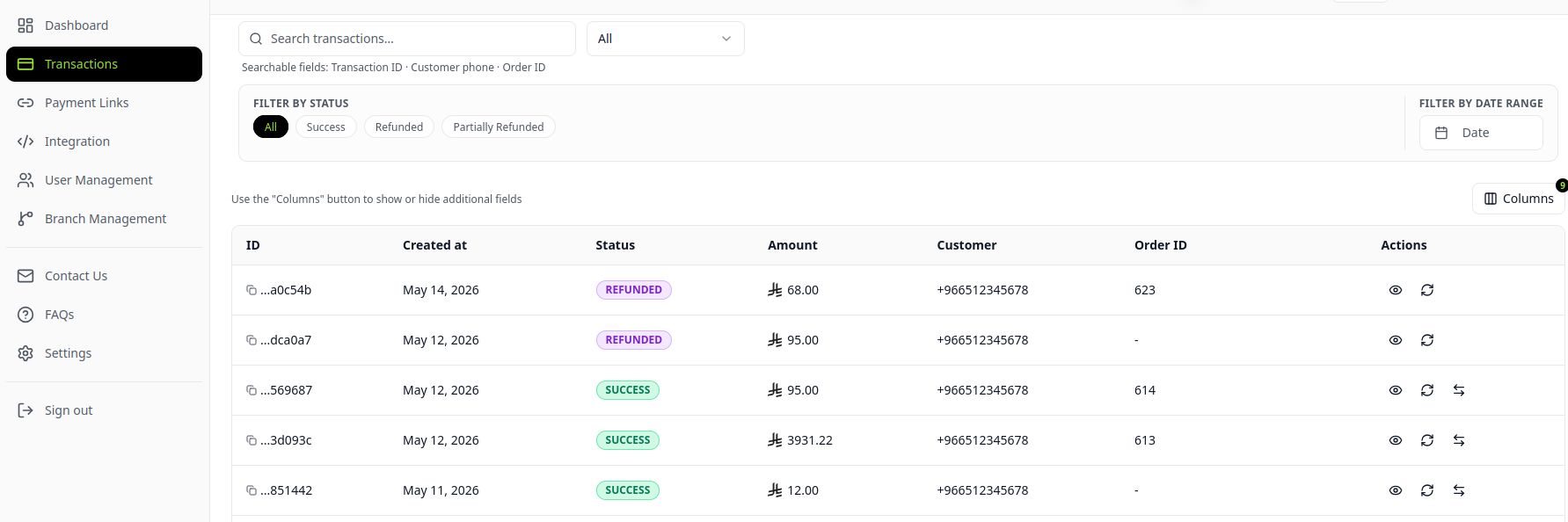
Table Attributes
| Column Header | Description | Data Type / Example |
|---|---|---|
| ID | Unique Amwal payment transaction UUID. | ccdaaba6-350e-43e8-xxxx-xxxx |
| Payment Method | Payment instrument used by the consumer. | Apple Pay, Mada, VISA, Bank Installments |
| Amount (SAR) | Total gross authorized charge in Saudi Riyals. | SAR 145.00 |
| Status | Current transaction lifecycle state. | Success, Pending, Failed, Refunded |
| Date & Time | Timestamp of authorization in Arabia Standard Time (AST). | May 19, 2026 05:18:30 |
| Customer Info | Buyer name, phone number, and delivery identifiers. | +96650XXXXXXX |
2. Inspecting Full Payment Breakdown
Click any transaction row to open the comprehensive payment drilldown modal:
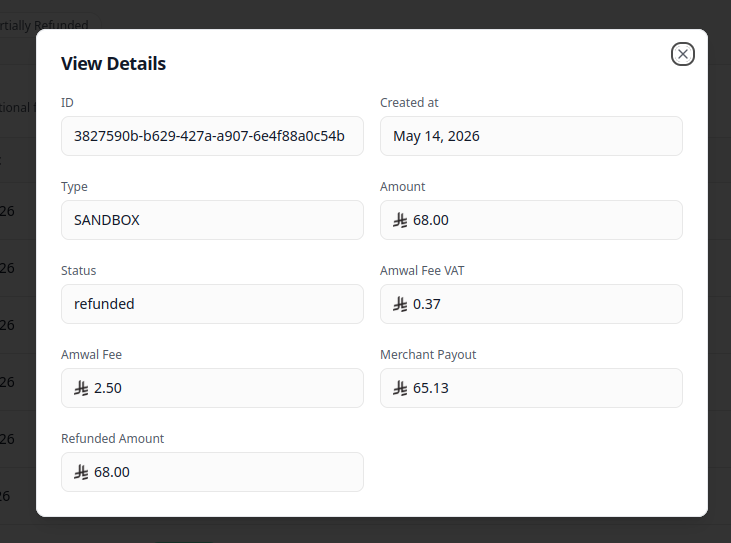
Critical Metadata Audited:
- Gateway Fee Calculation: Transparent display of the contract MDR rate applied to the transaction.
- VAT on Gateway Fee (15%): SAMA-mandated Value Added Tax breakdown.
- Merchant Payout: Net funds disbursed to the merchant (
Gross Amount - Amwal Fee - VAT). - Bank Authorization Codes: Card scheme authorization code and Retrieval Reference Number (RRN) required for banking dispute resolution.
- Refund History: Full audit trail of any previous partial refunds issued against the order.
3. Search, Filter & Quick Actions
- Global Search: Search instantly by Transaction UUID, Customer Mobile Number, Store ID, or Payment Link Reference.
- Status Filtering: Isolate failed authorizations to assist customers with card declines or eligibility issues.
- Direct Refund Action: Click Refund on any eligible transaction row to initiate a reversal. See Processing Refunds for timeframes and rules.
Create Payment Link
Complete operational guide to generating dynamic SMS payment links, social commerce URLs, and in-store checkout QR codes in the Amwal Merchant Dashboard.
Refund a Payment
Comprehensive operational guide to issuing payment refunds, understanding SAMA card scheme timeframes, fee reconciliations, and installment reversals.