
Magento 2 Online Refunds
The Amwal Magento 2 module allows store administrators to issue full and partial payment refunds directly from the Magento Admin Panel. Initiating an online refund automatically generates a Credit Memo, contacts the Amwal payment gateway via your API Secret Key, and credits funds back to the customer's original payment method (Mada, Visa, Mastercard, Apple Pay, or Bank Installment account).
Prerequisites
- The order must have been captured and in Processing or Complete status with an issued Invoice.
- Your Amwal Secret Key must be configured under Stores → Configuration → Sales → Payment Methods → Amwal (see Magento Configuration).
Step-by-Step Online Refund Guide
Step 1: Navigate to Orders
In your Magento Admin Panel, go to Sales → Orders:
Step 2: Locate the Order and Access Invoice
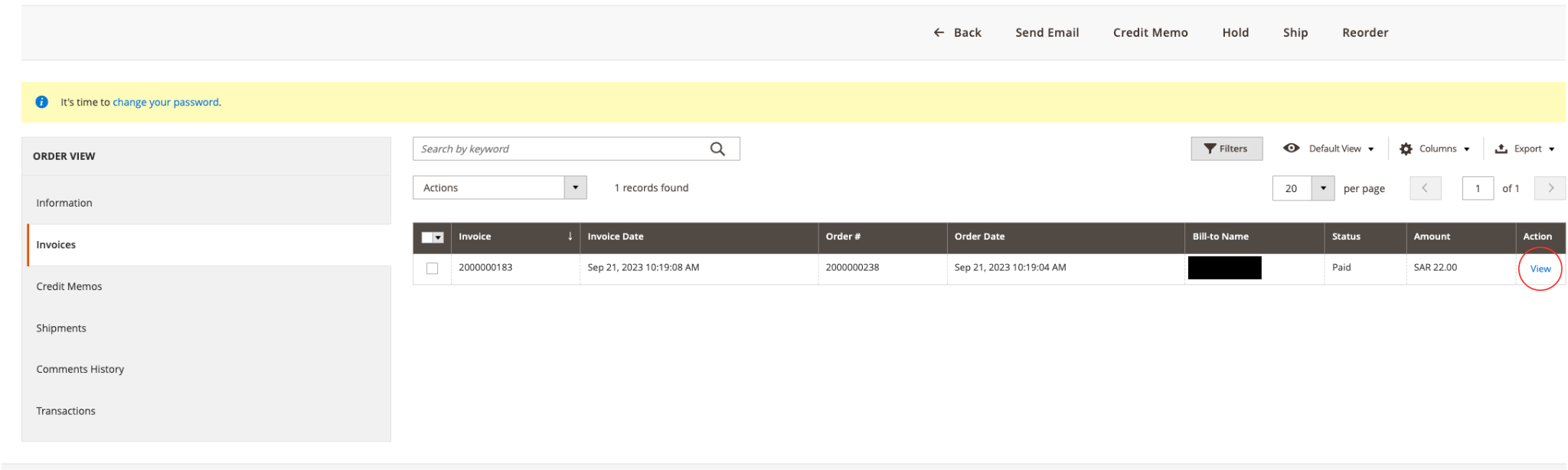
- Search and open the specific order you wish to refund.
- In the left order navigation menu, click Invoices.
- Click on the invoice record to open its details:
Step 3: Create a Credit Memo
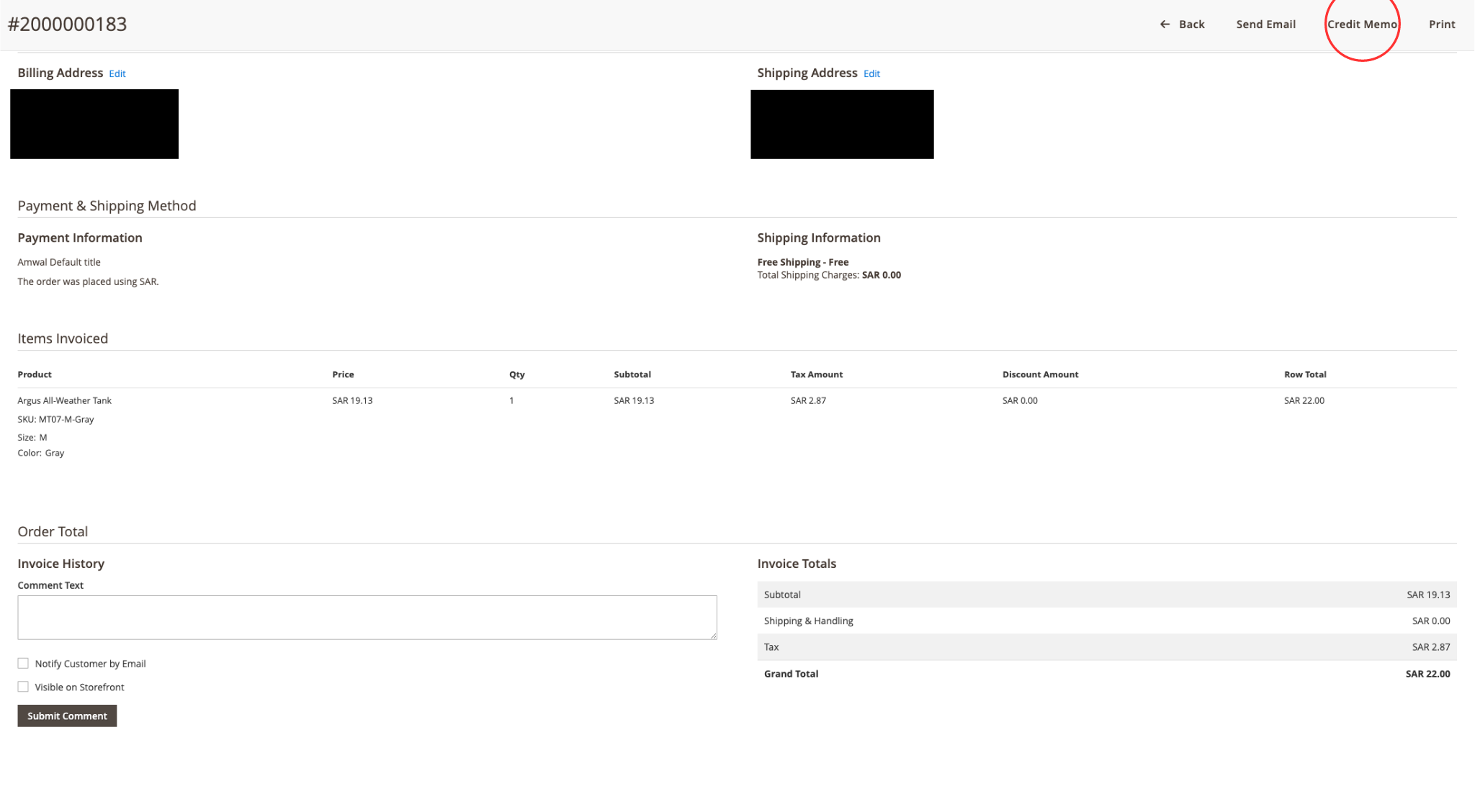
In the top action bar of the invoice view, click the Credit Memo button:
Step 4: Select Items and Quantities to Refund
In the Items to Refund section:
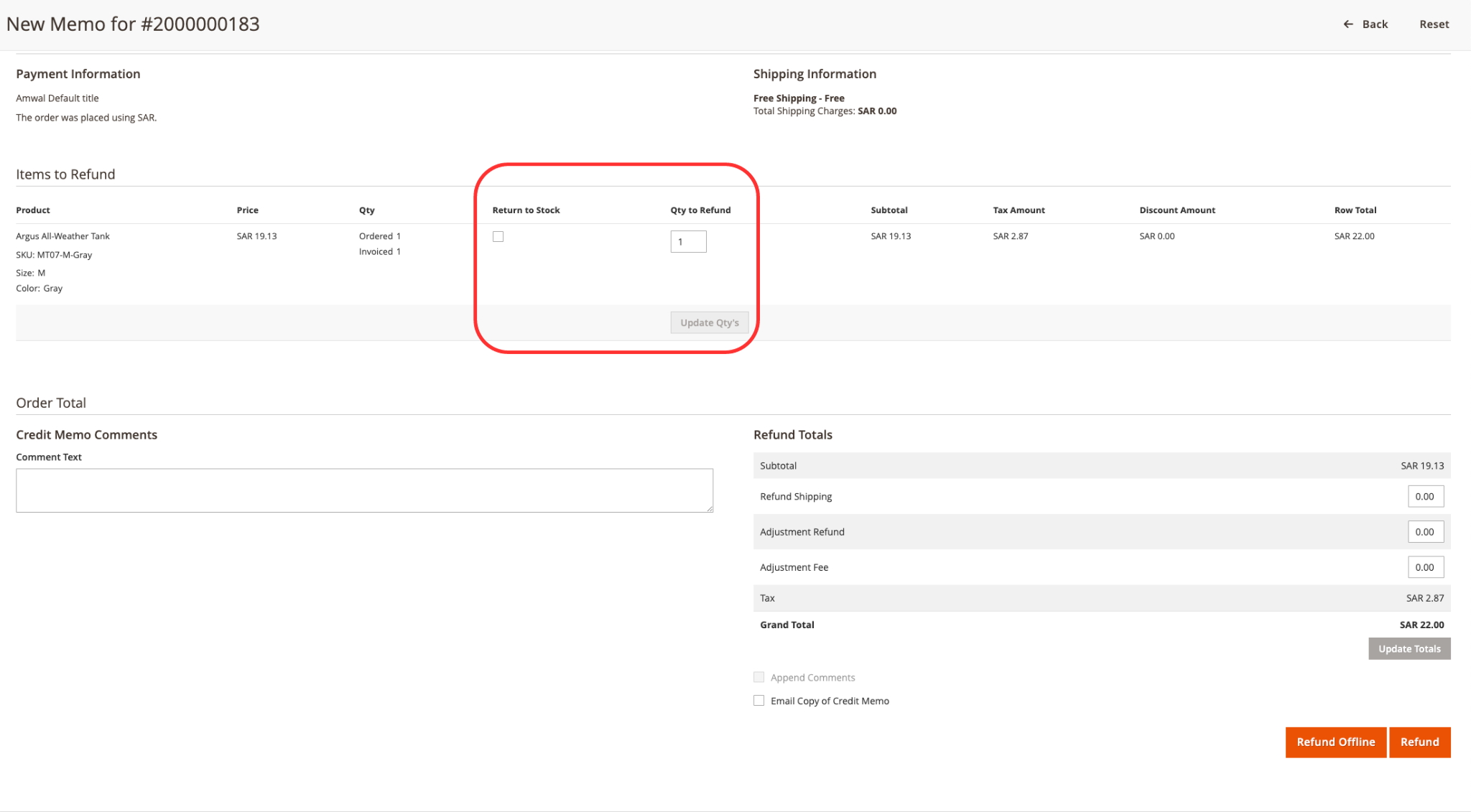
- Qty to Refund: Enter the quantity of items being returned. If you are issuing a partial refund, adjust the quantities accordingly or set unused items to
0. - Return to Stock: Check this box if you want Magento to automatically increment product inventory upon refund.
Step 5: Process Online Refund with Amwal
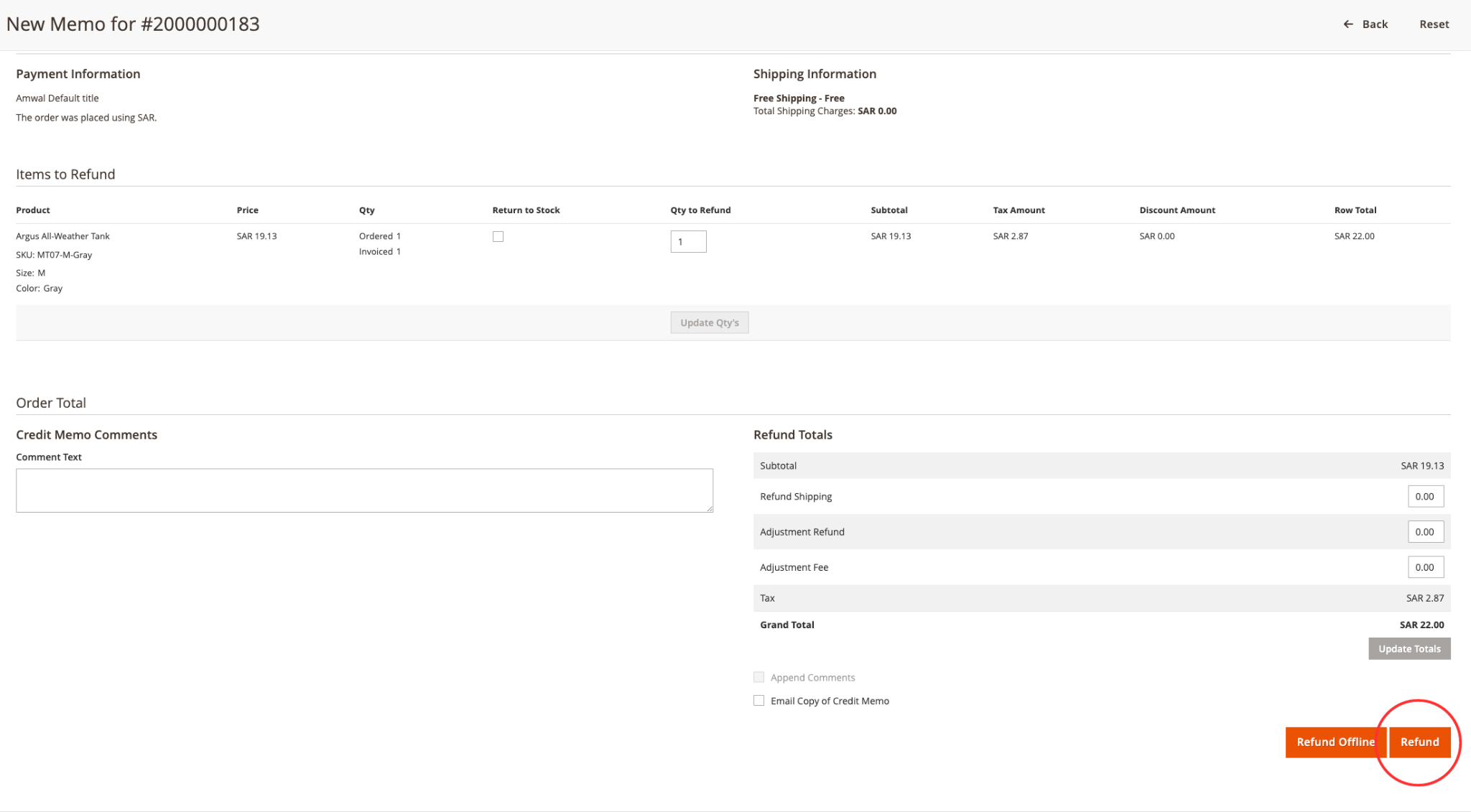
Scroll down to the Refund Totals section at the bottom of the page:
Online Refund vs. Offline Refund
- Refund (Recommended): Submits the refund request to the Amwal API in real time. The payment gateway reverses funds immediately and updates the transaction record.
- Refund Offline: Only marks the credit memo internally in Magento without sending a refund request to Amwal or the bank. If you click Refund Offline, you will have to manually execute the refund in the Amwal Merchant Portal.
Click the orange Refund button to trigger the automated gateway reversal.
Step 6: Review Refund Confirmation
Once submitted, Magento creates the Credit Memo and adds a transaction note to the order history comments:
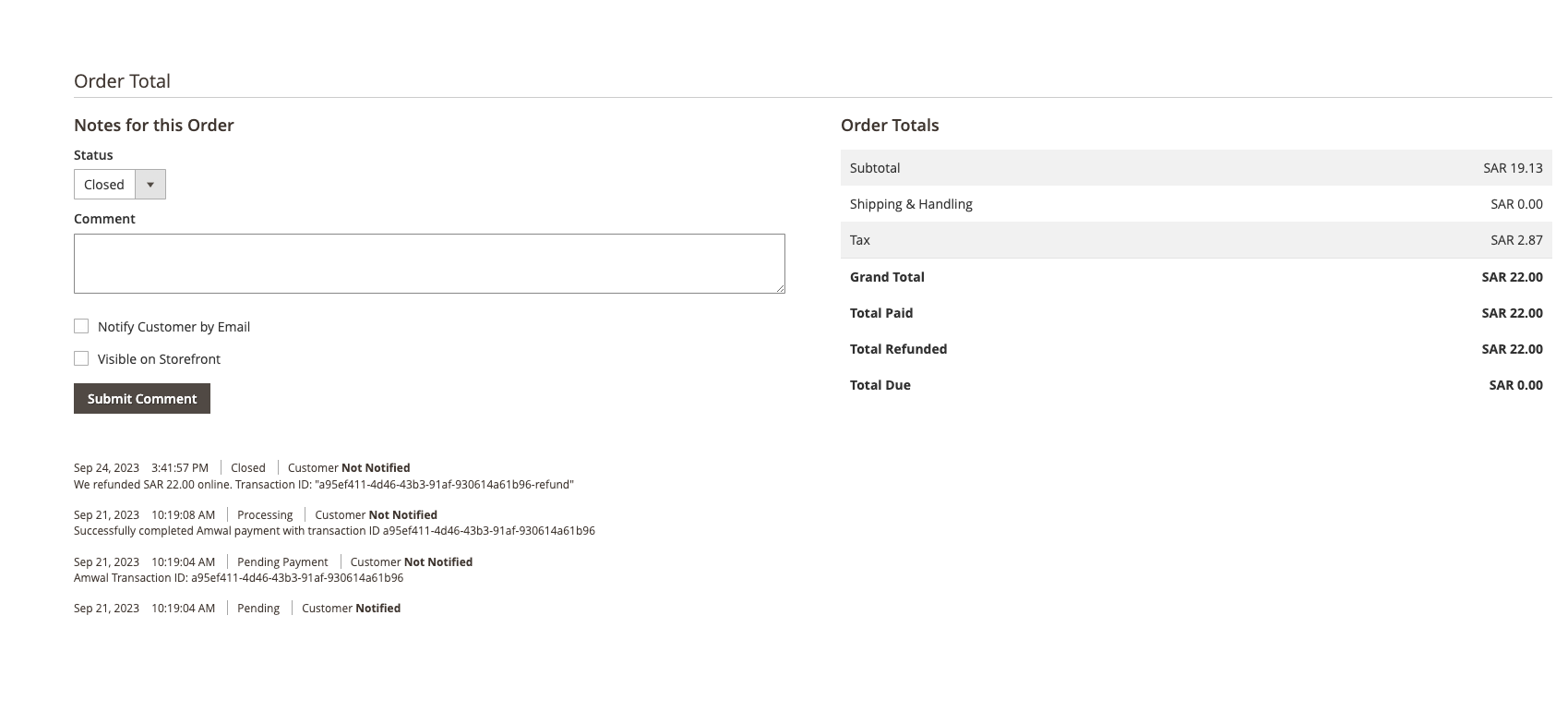
- The order status updates automatically to Closed (if fully refunded) or remains Processing (if partially refunded).
- The customer receives an automated Magento Credit Memo email notification.
SAMA Card Scheme Reversal Rules
| Payment Method | Maximum Refund Window | Settlement Notes |
|---|---|---|
| Mada Debit Cards | 30 Days from authorization | Direct scheme reversal into Saudi checking account. |
| Visa & Mastercard | 60 Days from authorization | Standard card scheme credit line reversal. |
| 0% Bank Installments | Varies by partner bank | Cancels active monthly repayment schedules with the issuing bank. |