Magento 2 Plugin Configuration
Configure the official Amwal Payments module on Adobe Commerce (Magento 2) to enable 0% bank installments, instant Apple Pay checkout, and promotional widgets.
Rendering diagram...
1. Accessing Amwal Configuration
- Log in to your Magento 2 Admin Panel.
- In the left navigation sidebar, go to Stores → Configuration.
- Under the Sales tab, select Payment Methods.
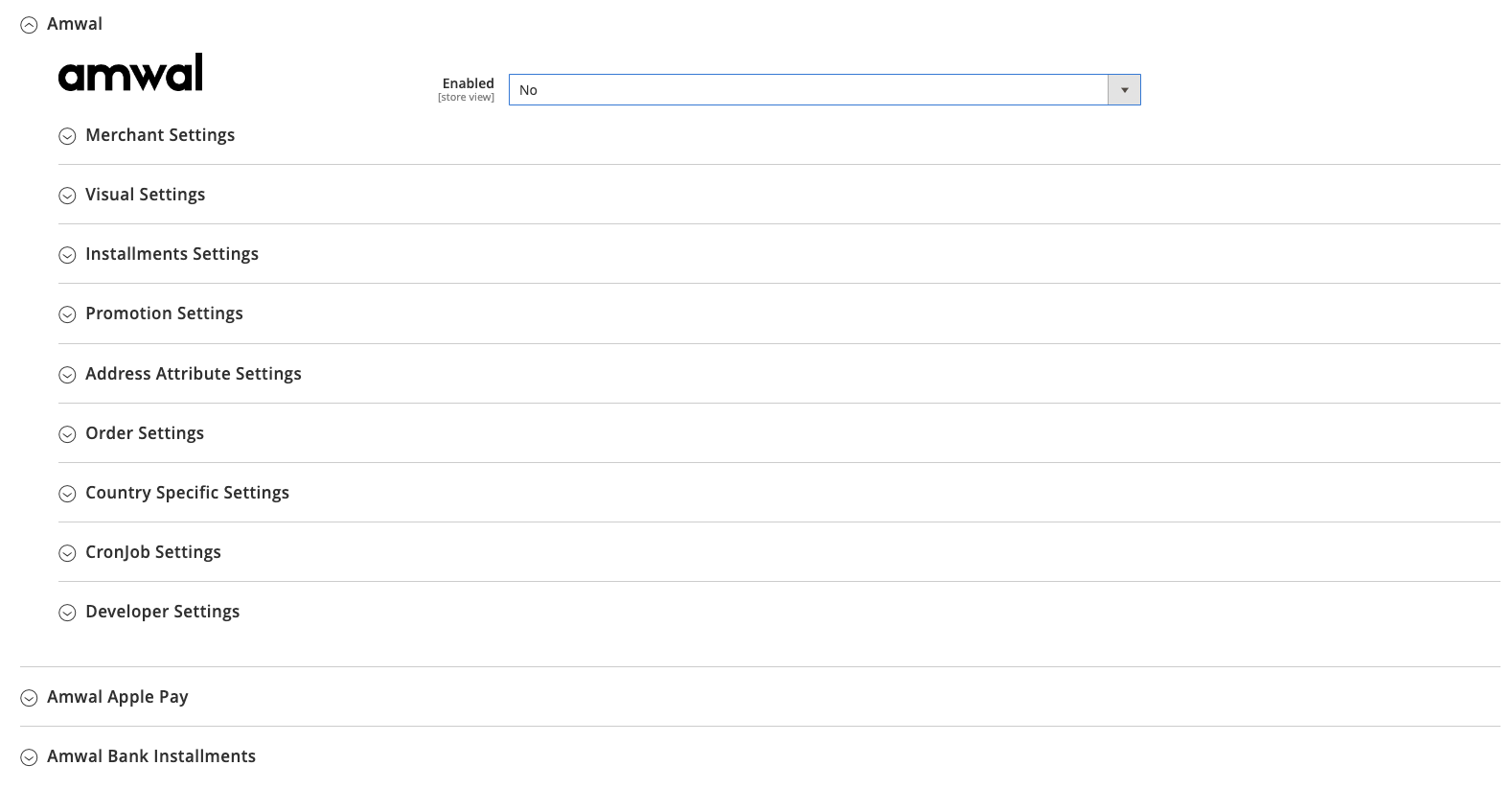
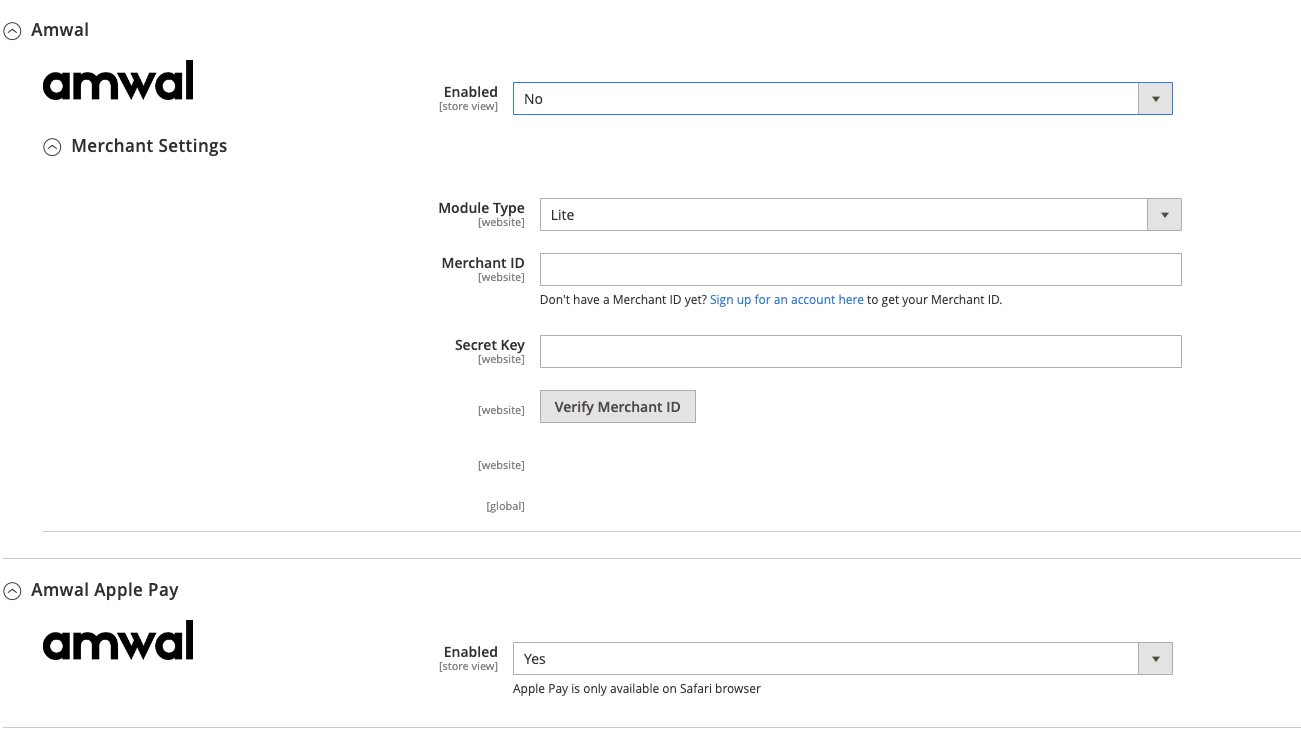
- Scroll down to Other Payment Methods and expand the Amwal section:
2. Required Setup & Credentials
| Setting Field | Configuration | Description |
|---|---|---|
| Enabled | Yes | Activates Amwal Payments on your Magento storefront. |
| Merchant ID | String | Your Sandbox or Production Public Key from the Amwal Merchant Portal. Use the Verify Merchant ID button to confirm connectivity. |
| Module Type | Pro (Recommended) | Pro: Enables 1-tap checkout on Product Pages (PDP), Category Listings (PLP), and Checkout. Lite: Restricts payments strictly to the standard checkout page. |
| Secret Key | String | Your private server Secret Key used for webhook cryptographic verification and refund processing. |
| Installment URL | HTTPS URL | Destination URL displayed when customers click the Installments info trigger. |
3. Visual & Checkout Button Styling
- Title: Front-facing method title displayed on checkout (e.g. Amwal 0% Bank Installments).
- Dark Mode:
Off: Displays a black high-contrast button with white text.On: Displays a white button with black text for dark-themed themes.
- Discount Ribbon: Toggle On to render a promotional discount badge across the checkout button.
- Style CSS: Inject custom CSS to align or resize the button for custom Magento themes:
.amwal-express-checkout-button.product-detail-page, .box-tocart .action.tocart {
  width: 70%;
}

@media (max-width: 767px) {
  .amwal-express-checkout-button.product-detail-page {
    width: 100%;
  }
}
4. Installment Configuration
Configure installment thresholds and bank redirection rules:

- Custom Installments Redirect URL: Specify the custom landing URL customers are redirected to after selecting their bank installment plan.
- Bank Installments Minimum Threshold: Configured for eligible orders (typically ≥ 1,000 SAR).
5. Promotions & Card BIN Rules
Set up promotional financing and bank-specific discount campaigns:
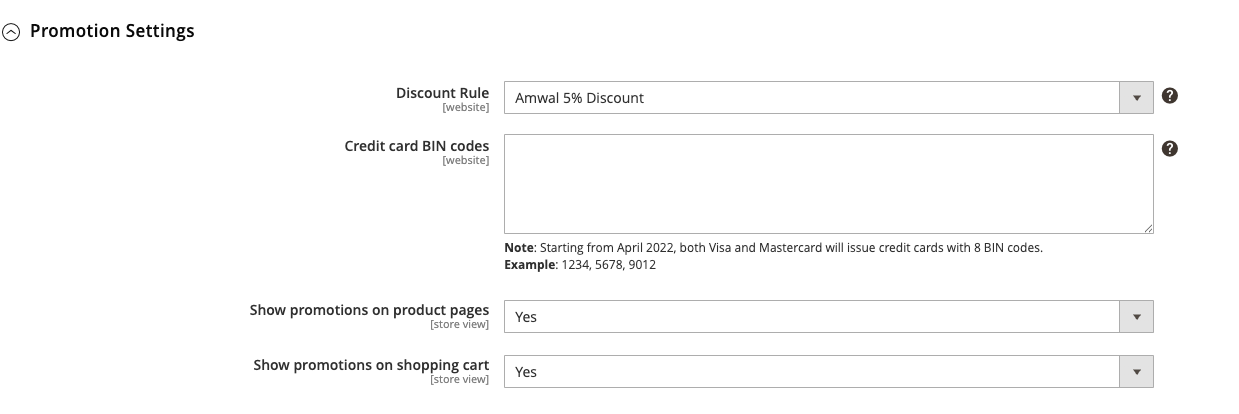
- Discount Rule: Select active promotional discount rules (e.g., 20% Off National Day Campaign).
- Credit Card BIN Codes: Enter comma-separated 6-digit bank BIN codes (e.g.
545454, 424242, 411111) to restrict discounts to participating Saudi banks. - Promotion Display Options: Enable the interactive promotional widget on Product Detail Pages (PDP) and the Shopping Cart.
6. Order Management & Automation
Configure how Magento processes orders upon payment authorization:
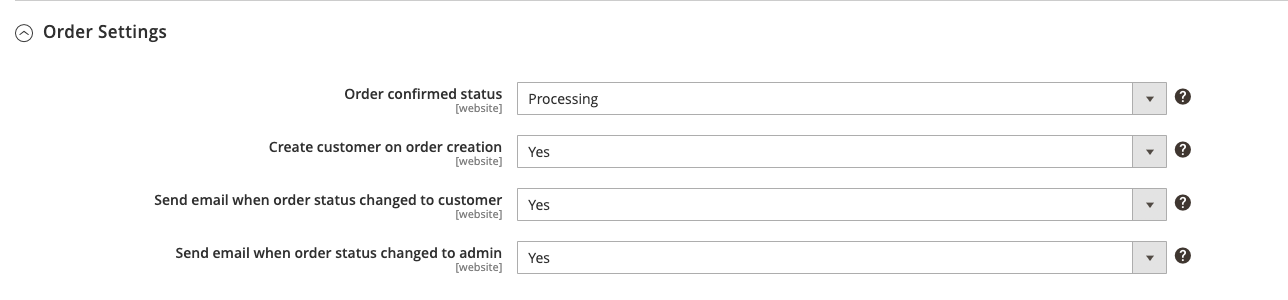
- Order Confirmed Status: Set the default Magento order status upon successful installment capture (typically
Processing). - Create Customer on Order: Automatically provision Magento customer accounts for guest checkouts using their verified phone number.
- Email Notifications: Automatically trigger Magento transactional order confirmation emails for orders updated by webhooks or background cron jobs.
7. Automated Cron Job Synchronization
The Amwal module includes automated cron tasks to ensure order statuses remain synchronized with bank gateways even if a buyer closes their browser during 3DS authentication:
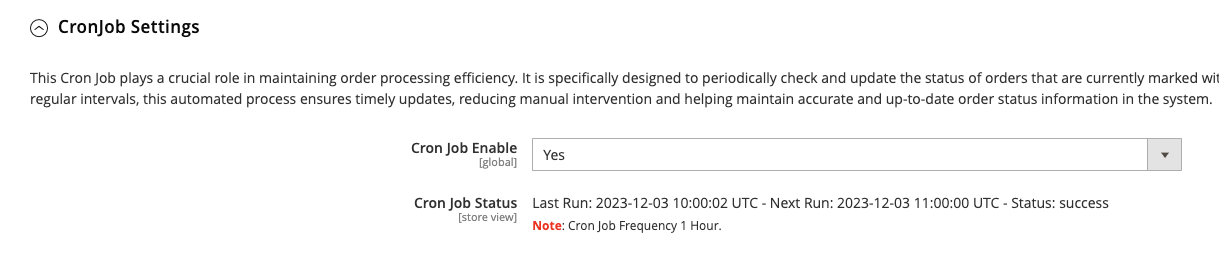
- Frequency: Runs automatically every 1 hour.
- Update Pending Orders: Queries the Amwal gateway for orders in
Pending Paymentstate from the past hour and updates completed transactions toProcessing. - Update Canceled Orders: Checks for expired or abandoned checkouts and transitions them to
Canceled.
8. Webhooks & Cryptographic Security
Configure real-time server-to-server webhook synchronization:
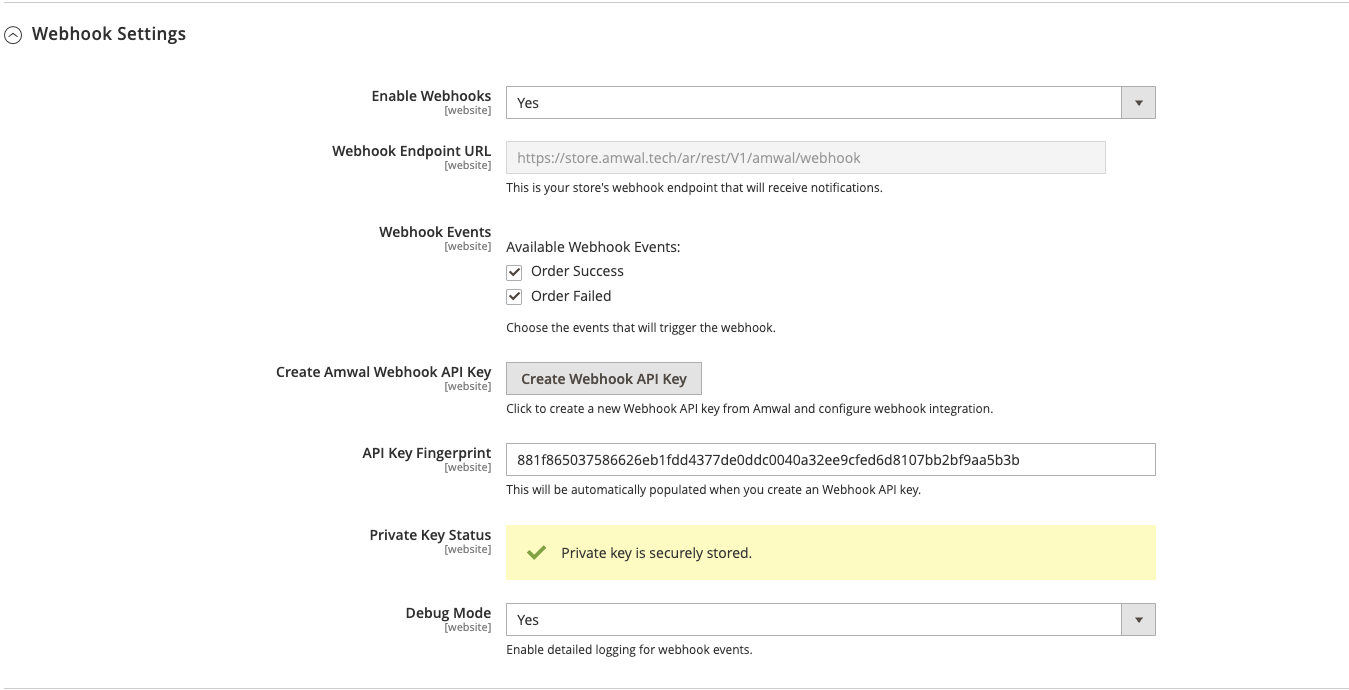
- Enable Webhooks: Set to
Yes. - Webhook Endpoint URL: Magento auto-generates your store's secure listener endpoint (
https://yourstore.com/rest/V1/amwal/webhook). - Create Amwal Webhook API Key: Click to provision the endpoint with Amwal and retrieve your public RSA verification key.
- Private Key Status: Displays
✓ Private key is securely storedonce RSA cryptographic verification is configured. - Debug Mode: Toggle to enable verbose logging in
var/log/amwal.log.
9. Checkout Payment Methods Preview
Apple Pay in Magento Checkout
Provides instant 1-tap checkout for Safari and iOS users:
0% Bank Installments in Magento Checkout
Allows customers to split orders over 3, 6, 12, or 24 months across Saudi partner banks: