
Merchant Onboarding
Setting up your business with Amwal takes just a few simple steps. Once registered, you gain access to the Amwal Merchant Dashboard to manage stores, retrieve API keys, generate payment links, and monitor financial payouts.
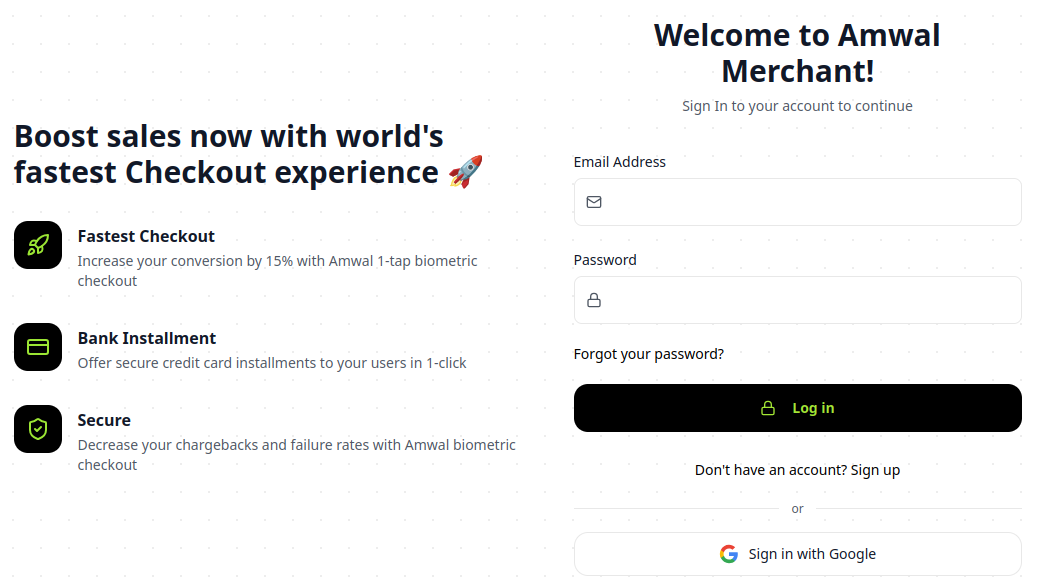
Step 1: Create Your Merchant Account
- Navigate to the Amwal Merchant Portal.
- Click Sign Up and enter your business details:
- Official Business Name / Commercial Registration (CR)
- Business Representative Email & Phone Number
- Bank Account Details for Payout Settlements (IBAN)
- Complete email and mobile phone verification.
Step 2: Create and Configure a Store
Once logged into your Merchant Dashboard:
- Navigate to the Stores section in the left navigation sidebar.
- Click + Add Store and provide your store details:
- Store Name: Display name shown to customers on checkout modals and receipts.
- Store URL: Your e-commerce website domain (e.g.,
https://mystore.sa). - Platform: Select your platform (Shopify, WooCommerce, Magento, Salla, or Custom API).
- Save your store. A unique
Store IDwill be generated for your environment.
Step 3: Account Activation & KYC
To activate live installment processing on Saudi payment rails:
- Upload required compliance documentation under Settings > Verification:
- Commercial Registration Certificate (CR)
- National ID / Iqama of Authorized Signatory
- Official Bank Account Certificate (stamped with IBAN)
- The Amwal compliance team reviews and approves accounts within 24–48 business hours.
Need Fast-Track Activation?
Contact our dedicated onboarding team directly at sales@amwal.tech or WhatsApp +966 57 373 7043 with your Store ID for express review.
Step 4: Choose Your Integration Mode
Depending on how your business operates:
E-Commerce Plugins
Install our ready-made official plugins for Shopify, WooCommerce, or Magento with zero coding required.
Payment Links
Create instant standalone installment payment links and send them to customers via WhatsApp or SMS.
Custom API & SDKs
Integrate our drop-in HTML widget, React SDK, or REST API into your custom web and mobile applications.