
Dashboard Overview
The Amwal Merchant Dashboard is your centralized control center for managing day-to-day payment operations, customer transactions, payment links, and financial reconciliation.
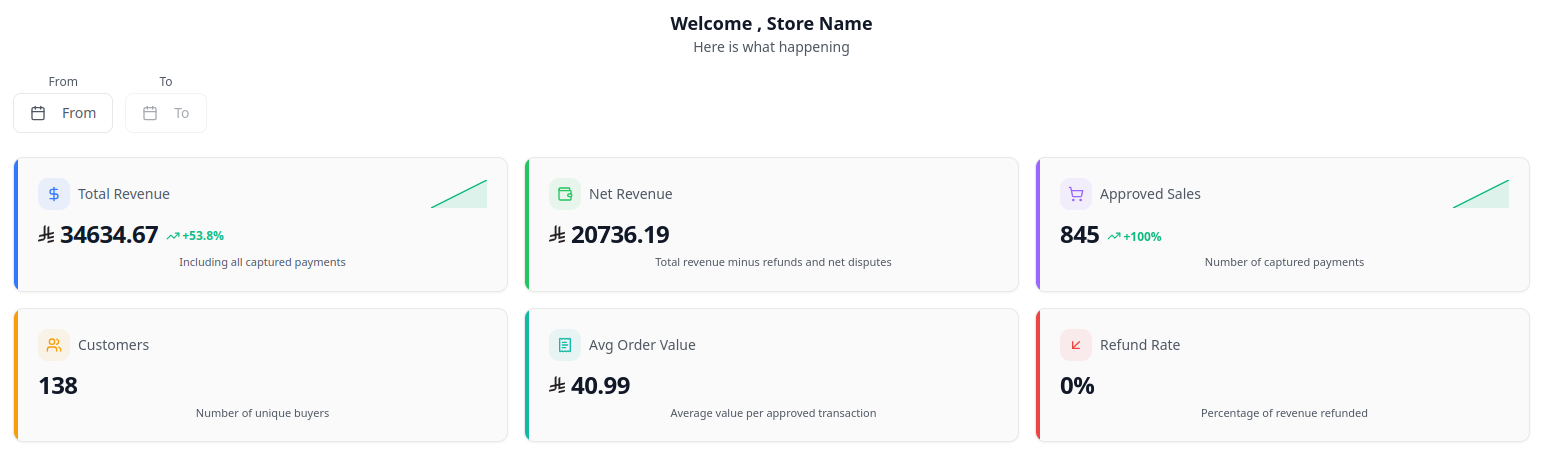
Key Dashboard Sections
1. Live Transactions
- Real-Time Monitoring: View all inbound transactions with live statuses (
Paid,Pending,Failed). - Transaction Details: Click on any transaction ID to view:
- Selected installment tenure (e.g. 6 Months @ 0%)
- Issuing Bank (Al Rajhi, SNB)
- Authorized customer details and order references
- Net payout calculation and fee breakdown
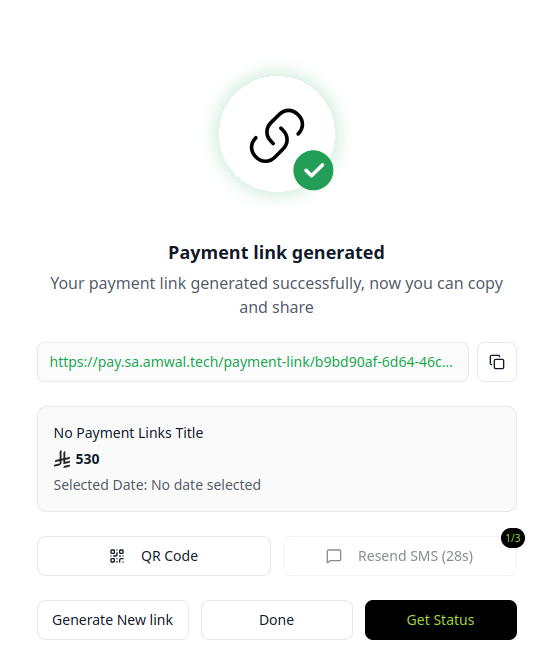
2. Standalone Payment Links
Create installment payment links for remote sales, social commerce (Instagram, WhatsApp), or customer service:
- Click Payment Links > Create Payment Link.
- Enter the Amount (SAR), Customer Phone/Email, and optional Order Reference.
- Select an assigned Branch (if applicable).
- Click Generate Link to copy or automatically send via SMS/WhatsApp.
- When the customer opens the link, they choose their bank installment plan and pay securely.
3. Processing Refunds
Amwal allows merchants to issue partial or full refunds directly from the dashboard:
Rendering diagram...
Refund Types:
- Full Refund: Reverses the entire purchase amount. The issuing bank cancels the remaining installment schedule and credits any already-billed installments back to the cardholder.
- Partial Refund: Specify the exact refund amount in SAR. The bank automatically adjusts the monthly installment schedule accordingly.
Refund Settlement Timelines
- Credit Card Refunds: Typically reflected on the customer's bank card within 2 to 5 business days.
- Zero Merchant Penalty: No cancellation fees or penalties apply to installment refunds.
4. Statements & Financial Reports
Export audit-ready financial records under Statements & Reports:
- Monthly Settlement Statements: Reconciled transaction listings with gross volume, fees, and net bank payouts.
- VAT Invoices: SAMA and ZATCA compliant electronic VAT tax invoices.
- Direct Export: Download statements in PDF or CSV/Excel format for accounting software integration.