
WooCommerce Installation Guide
Install the official Amwal Checkout WordPress plugin to accept 0% bank installments, Apple Pay, and 1-Click Passkey payments directly on your WooCommerce store.
Rendering diagram...
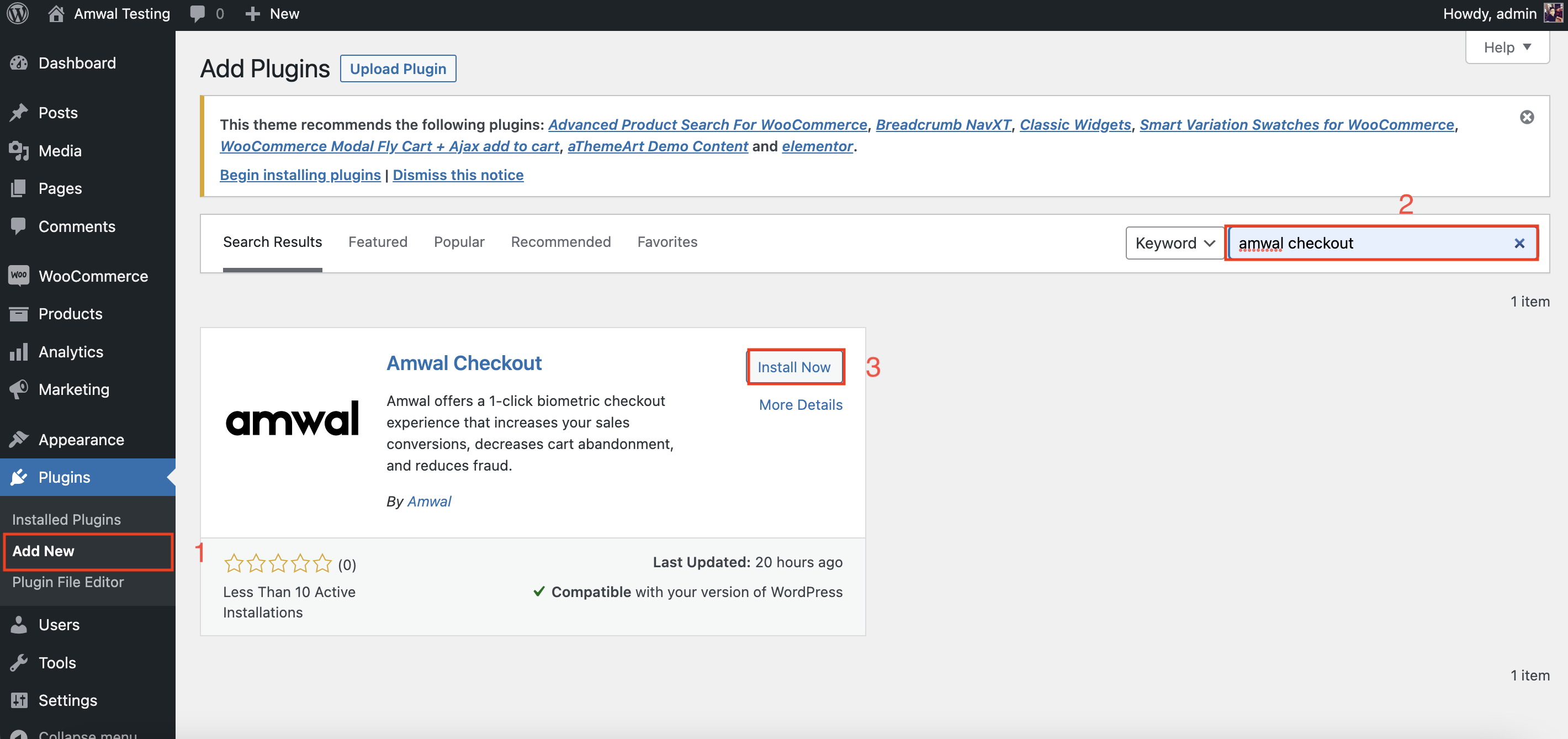
1. Search for Amwal in WordPress Plugin Directory
- Open your WordPress Admin Dashboard.
- Navigate to Plugins → Add New Plugin.
- In the keyword search box, enter
amwal checkout:
2. Install and Activate the Plugin
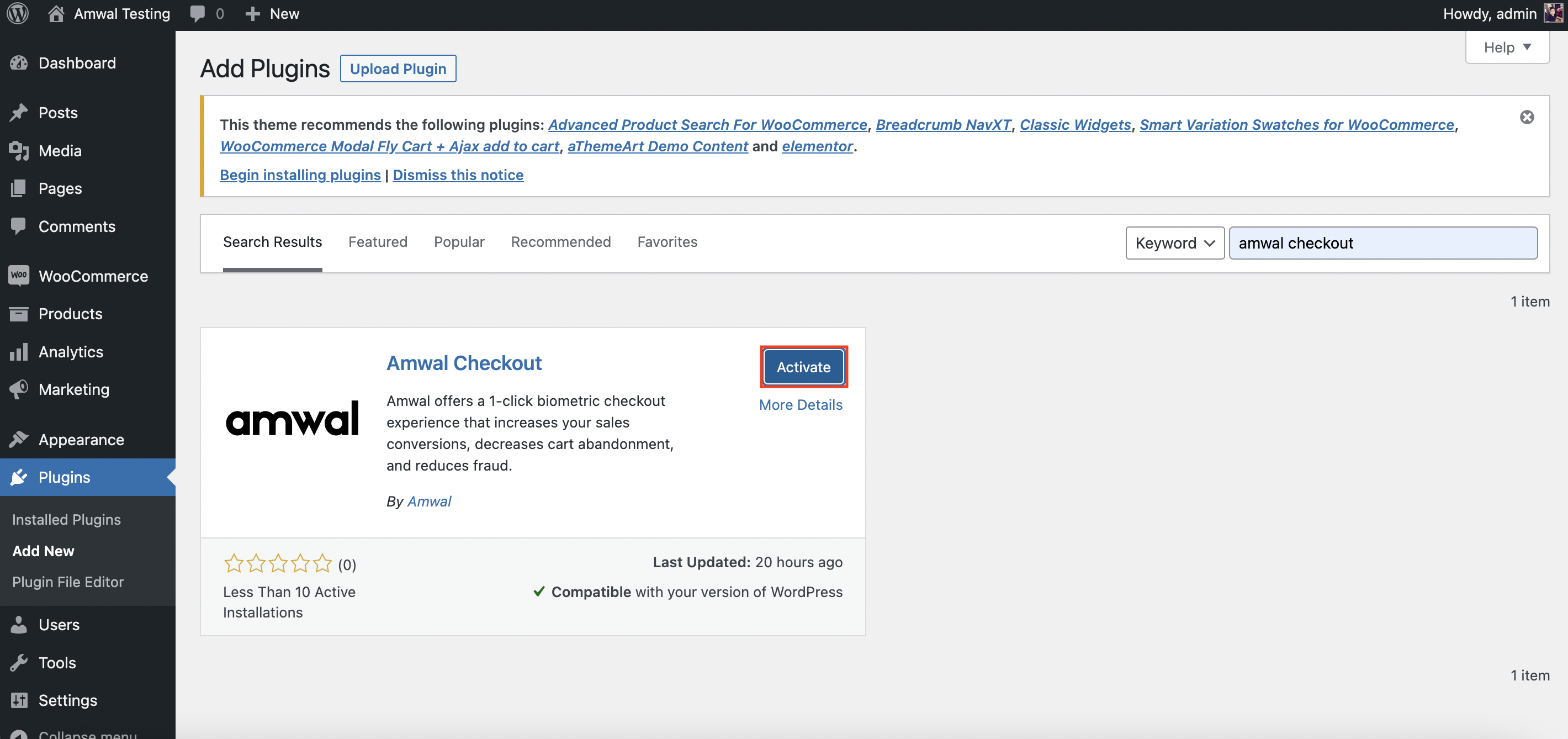
- Click Install Now on the Amwal Checkout plugin tile.
- Once the download completes, click Activate:
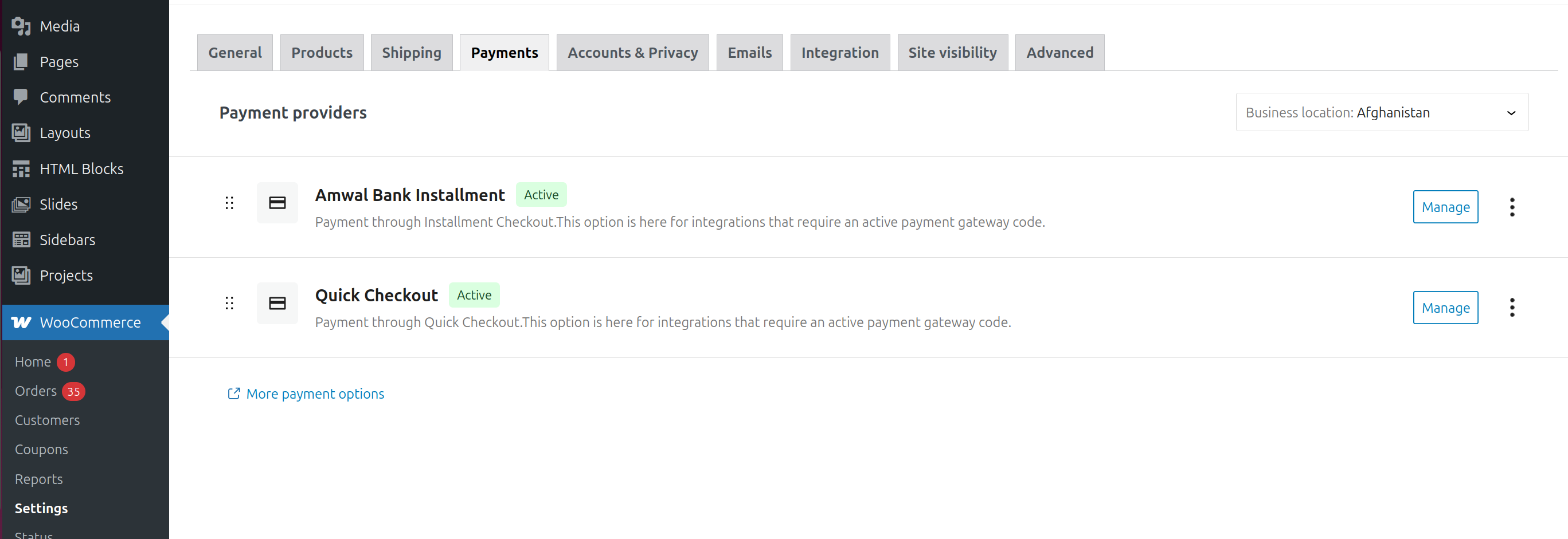
3. Access Plugin Payment Settings
Navigate to WooCommerce → Settings → Payments to verify that the Amwal gateway is active:
Next Steps
Shopify Installment Widget
Embed and customize the Amwal 0% bank installment promotional widget on Shopify Product and Cart pages using Online Store 2.0 Theme App Extensions.
WooCommerce Configuration
Complete configuration guide for the Amwal WooCommerce plugin, covering API credentials, webhooks, 0% installments, address mapping, and custom styles.