
Shopify Installment Widget
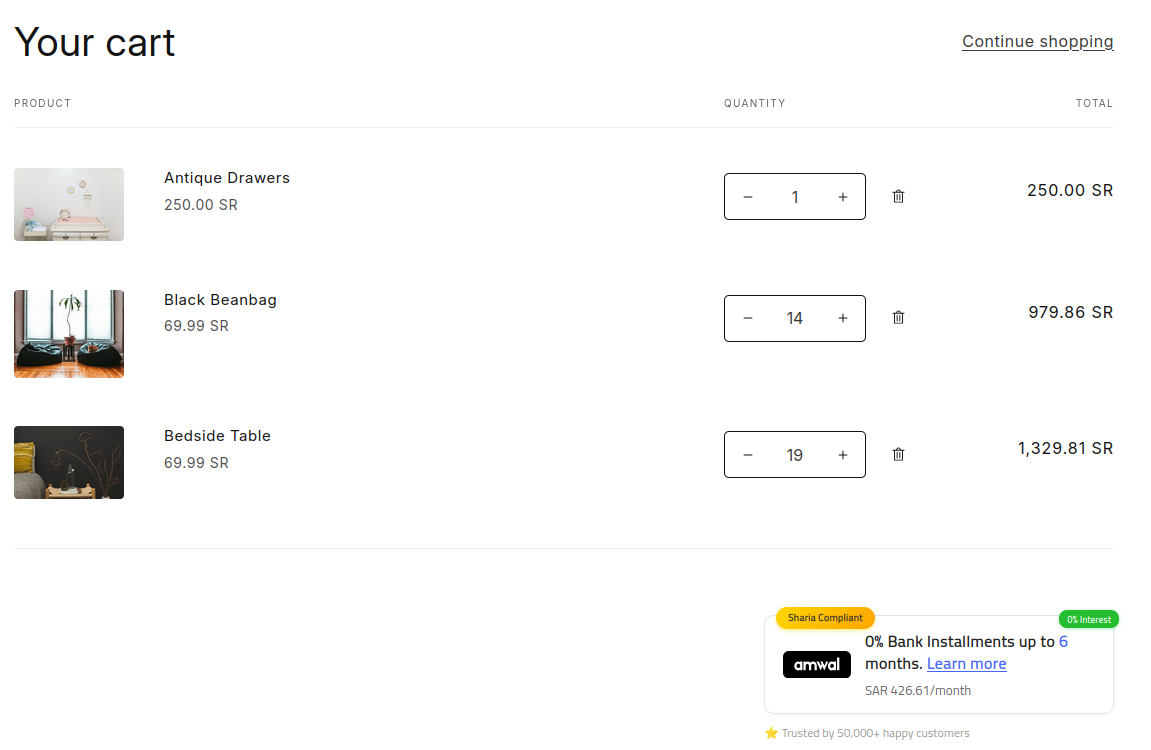
Embed the dynamic Amwal Promotional Widget on your Shopify Product Detail Pages (PDP) and Cart templates to boost shopper conversion rates by showcasing 0% interest monthly installment breakdowns before checkout.
Rendering diagram...
1. Accessing the Theme Customizer
- In your Shopify Admin, navigate to Online Store → Themes.
- Locate your active published theme and click Customize:

2. Adding the Theme App Block
- In the top navigation dropdown, select Products → Default product.
- In the left template outline under the Product Information section, click Add block:
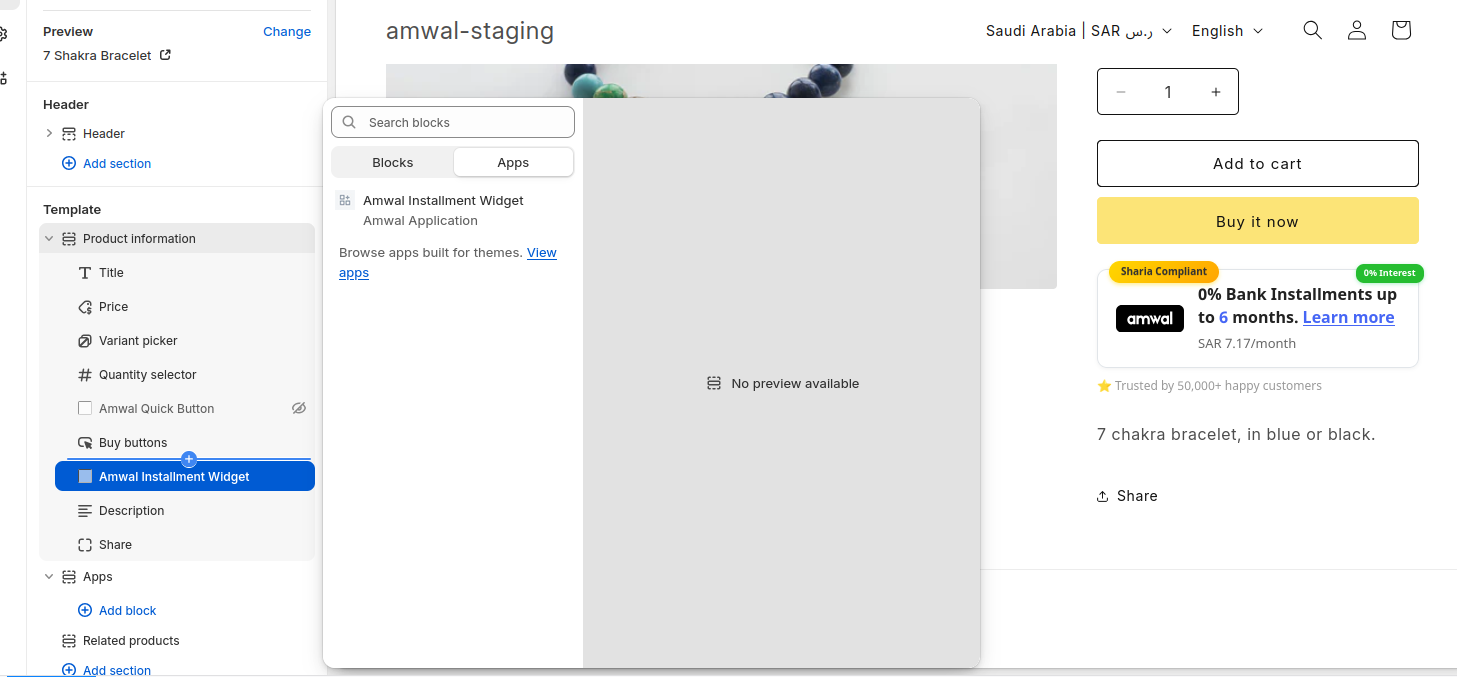
- In the Apps tab, select the Amwal Installment Widget block:
- Drag the block to your preferred position (recommended: directly below the product price and above the Add to Cart button).
3. Configuring Widget Settings
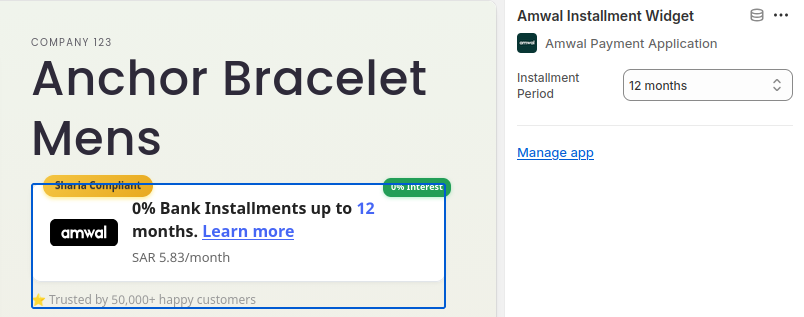
Click on the Amwal block to adjust styling and presentation options in the right sidebar:
- Theme Mode: Select
Auto,Light, orDarkto match your storefront theme. - Show Green Accent Border: Enables a subtle branded border highlighting the financing option.
- Display Bank Badges: Shows partner bank icons (Al Rajhi Bank, SNB, Alinma, Riyad Bank).
- Minimum Amount Threshold: Hides the widget automatically for products below your configured minimum threshold (e.g.
1,000 SAR).
4. Live Storefront Demonstration
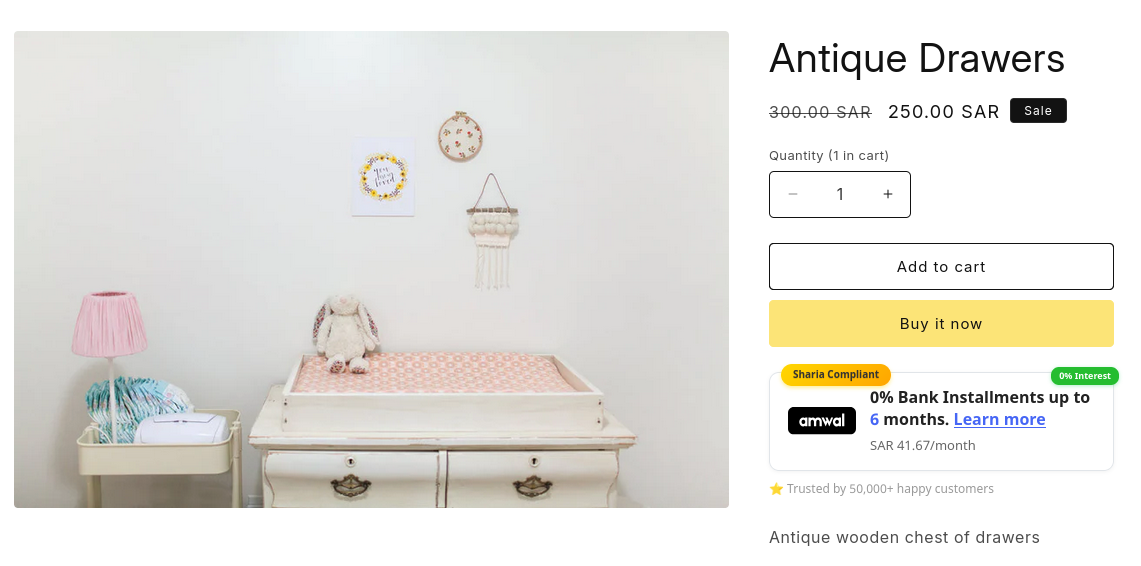
Once saved, the widget dynamically calculates and updates monthly payments in real time when customers switch variants or quantities:
- Clicking the widget triggers an informational modal showing full term breakdowns across 3, 6, 12, and 24 months with 0% interest.